How to Add an Event on BaliSquad
Got a meetup, dinner, game night, or workshop people should know about? Put it on balisquad.com. Public event pages reach folks outside your WhatsApp groups, and they don’t disappear after 24 hours.
Here’s the short path from blank form to published event.
Before you start
Have these ready:
- A clear event title and short description
- Date and time in Bali time
- Venue or address (or mark it as online)
- Area (Canggu, Uluwatu, and so on)
- At least one cover photo (the first image becomes the card cover; prefer real photos without heavy text overlays)
You’ll need a BaliSquad account. If you’re new, sign up, then create your page (the profile you post as).
1. Sign in
Open balisquad.com and sign in. Create an account if you don’t have one yet.
2. Open Add Event
Go to balisquad.com/event/add. The FAQ answer for “Can I host my own event?” also links here.
3. Fill the basics
Required fields:
- Event Title: what’s happening, plus a hint of the vibe
- Posting as: your page
- Description: time, place, what to bring, cost, and anything else people need before they RSVP (rich text is fine)
Optional: add co-hosts by searching pages by name.
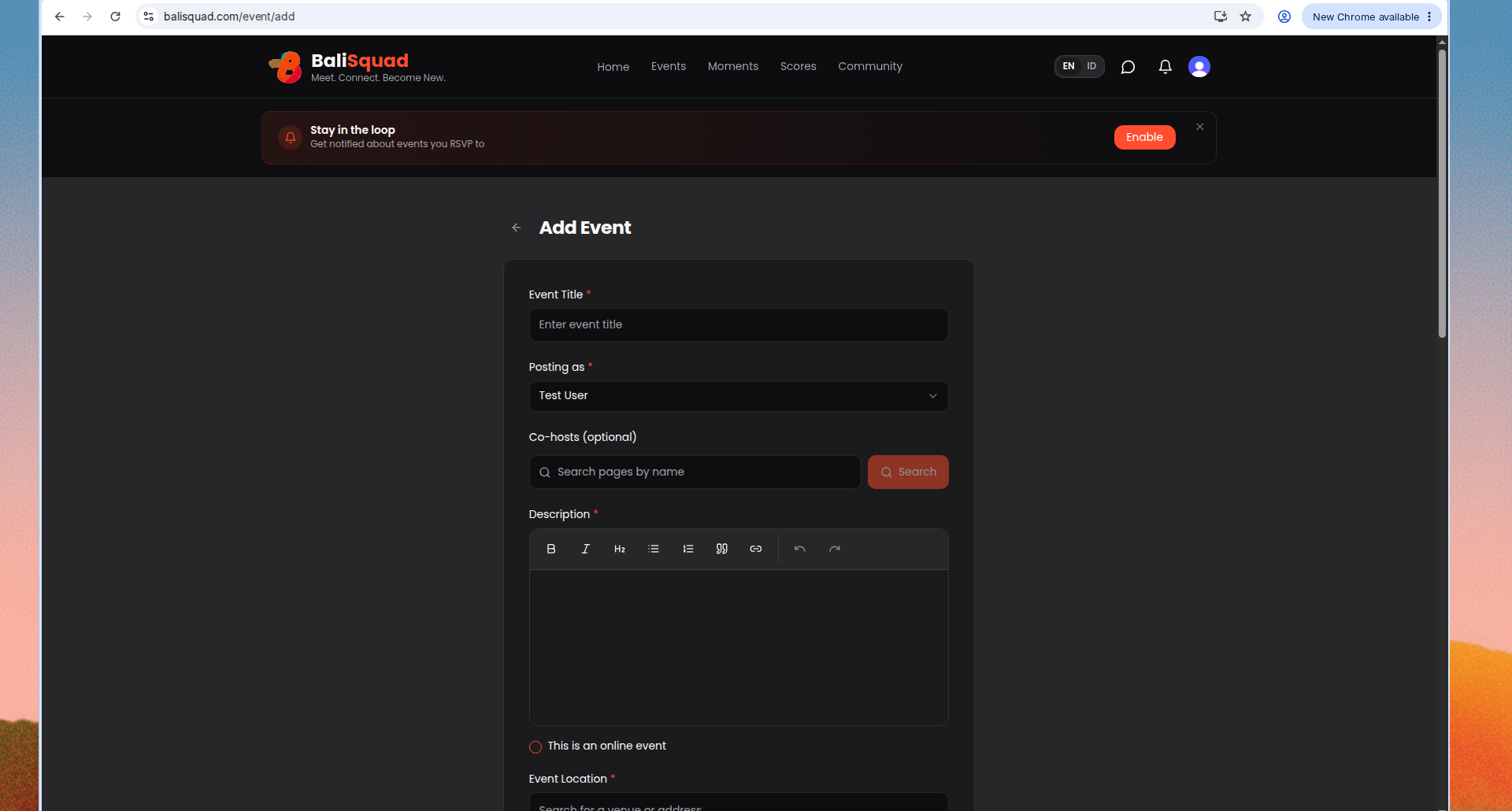
4. When and where
Set the practical details:
- Toggle This is an online event if it isn’t in person
- Event Location (venue or address search)
- Area
- Expected Participants if you want
- Start Time and optional End Time (Bali time)
Further down the form you’ll also find categories, free/private/approval settings, payment method, repeat weekly, ticket tiers, and custom questions. Skip what you don’t need for v1.
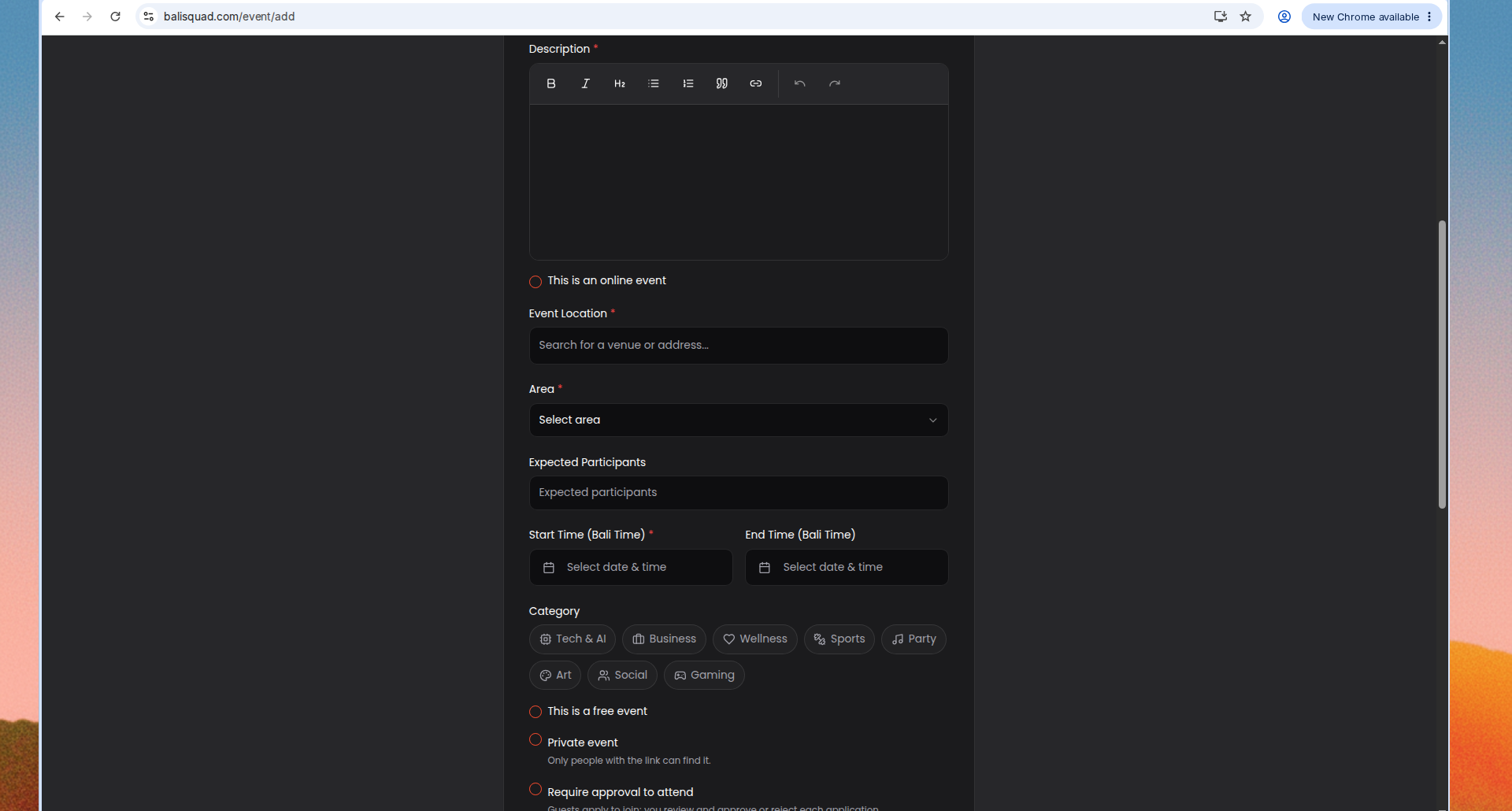
5. Media and publish
- Event Images: up to 10. The first image is the cover across cards and shares. Clear venue or activity photos work better than blurry Stories or flyer-style artwork with lots of text.
- Optional: paste a YouTube or Instagram video link for the event page.
- Hit Publish Event.
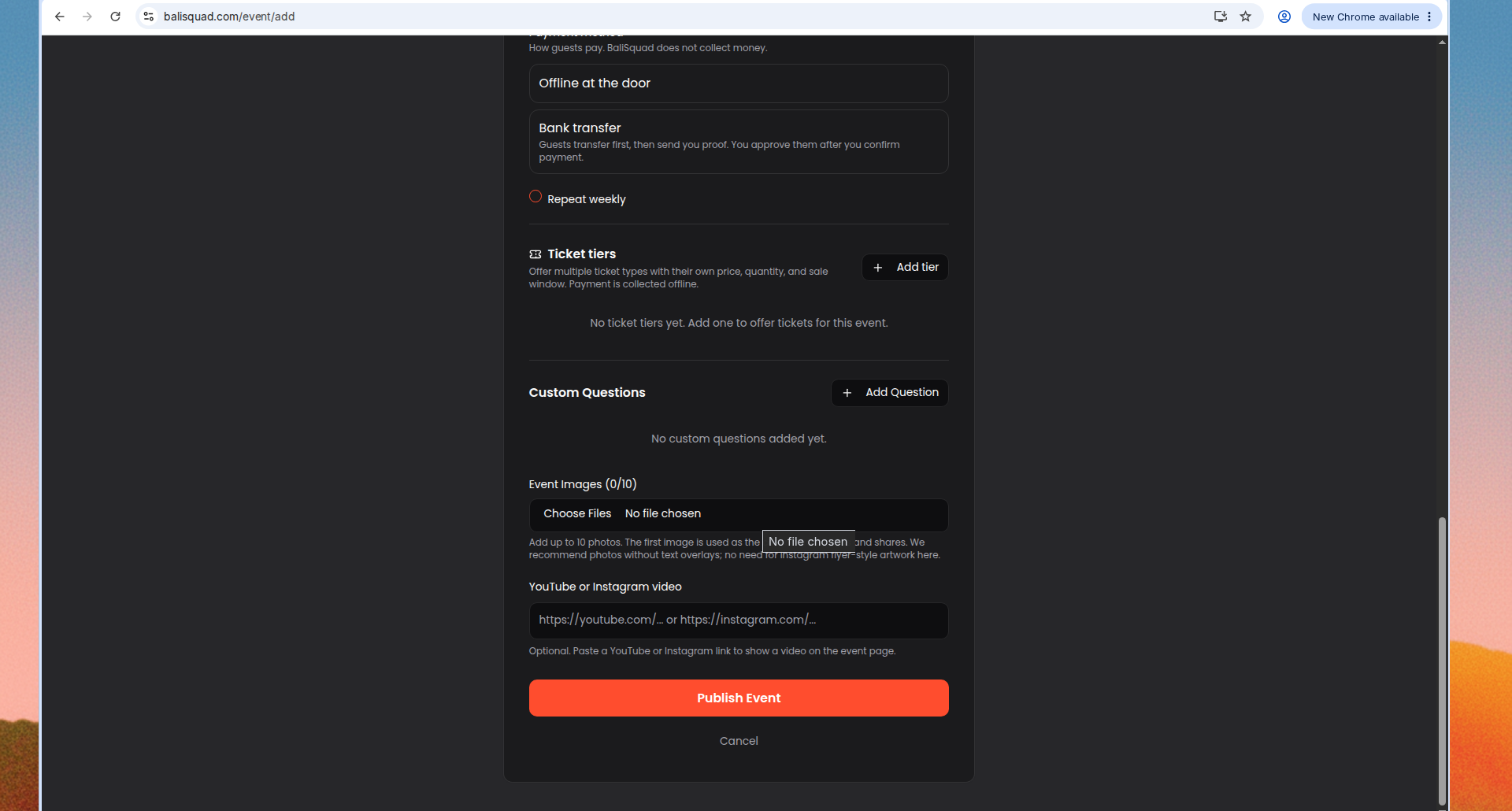
Tips that help your listing get joins
- Lead with vibe in the title, not just the activity name
- Put time and area early in the description
- Add practical notes (bring shoes, entry fee, beginner friendly)
- Use photos people can trust: the room, the court, the table, the crowd
Need help?
Message the squad from the homepage (“Want to host, help, or just say hi?”). We read every note.
Ready when you are: Add an event